
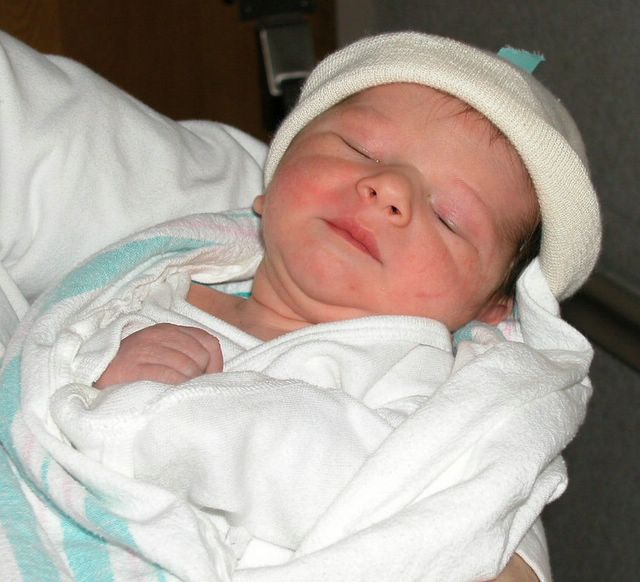
This is one of my favorite pictures of my daughter taken about ten years ago. It makes me smile each time I see it. It is a digital picture of a 35mm picture through a clear plastic cover in a photo album. Follow that?
A big congratulations to Tabor for her new hat. Role of Grandmommy! Picture can be seen here.
Well, according to blogger.com status' page, they are having problems with SSL. To find more about it: Secure Socket Layer.
We are also told to clear our cookies.
Or, as I like to say, toss our cookies.
In explorer, choose Tools, Internet Options, General tab, and Delete cookies.
In Mozilla Firefox choose Tools, Options, Privacy (picture of yellow padlock), and across from the Cookies option is a Clear box. Click on that. Or, you can clear everything in one click. Near the bottom of the window is a Clear All button.
Cookies are also getting a bad rap here.
Coming from the speakers: Sara by Fleetwood Mac.
3 comments:
It is not clear to me how clearing my cookies affects the access to my website. I suppose it could affect posting stuff...they are having growing problems big time.
A "cookie" will hold information about the blogger.com site.
This is an example: If they change their server i.d., then the cookie you have on your hard drive is looking for the old i.d. - if you clear yours, then your browser says, "I must establish a new connection to the blogger.com server" and thus, records the new i.d. And, voila - you can establish communication back and forth again. This is just an example, I don't know if that is what is going on with them or not.
I hope they get their kinks ironed out soon, but I know from working in this field, as soon as you solve one problem another crops up.
It is a struggle.
Hi
Nice blog :-)
Hope you got some sleep in the end..........
Post a Comment